One car, from the scan to paid
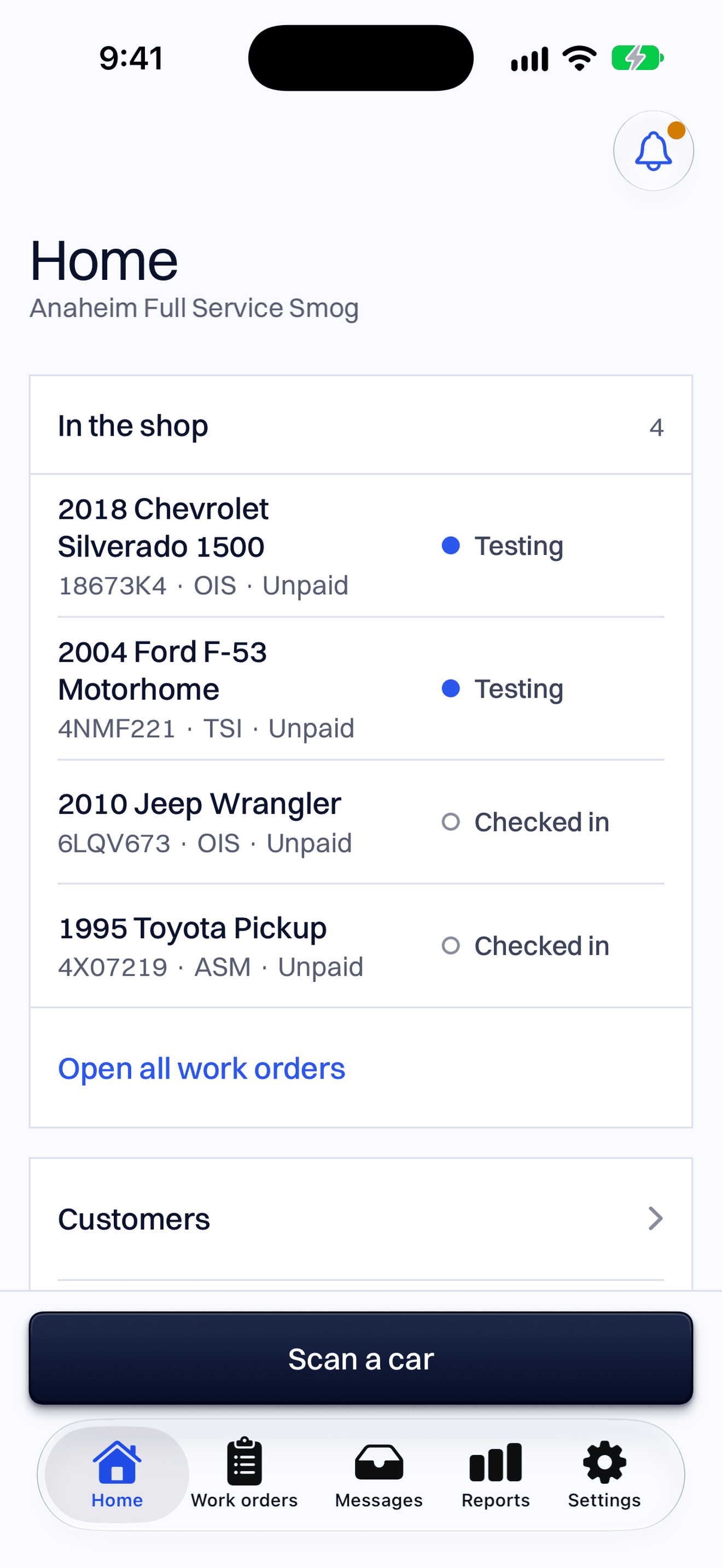
The car pulls in, and you tap Scan a car
Scan the VIN with your phone. You don’t need a barcode scanner, and scanning a VIN is free.
If the camera can’t read it, type the VIN. You can type a plate too: the free plan looks up 10 a day, and on Pro the iPhone camera reads plates.
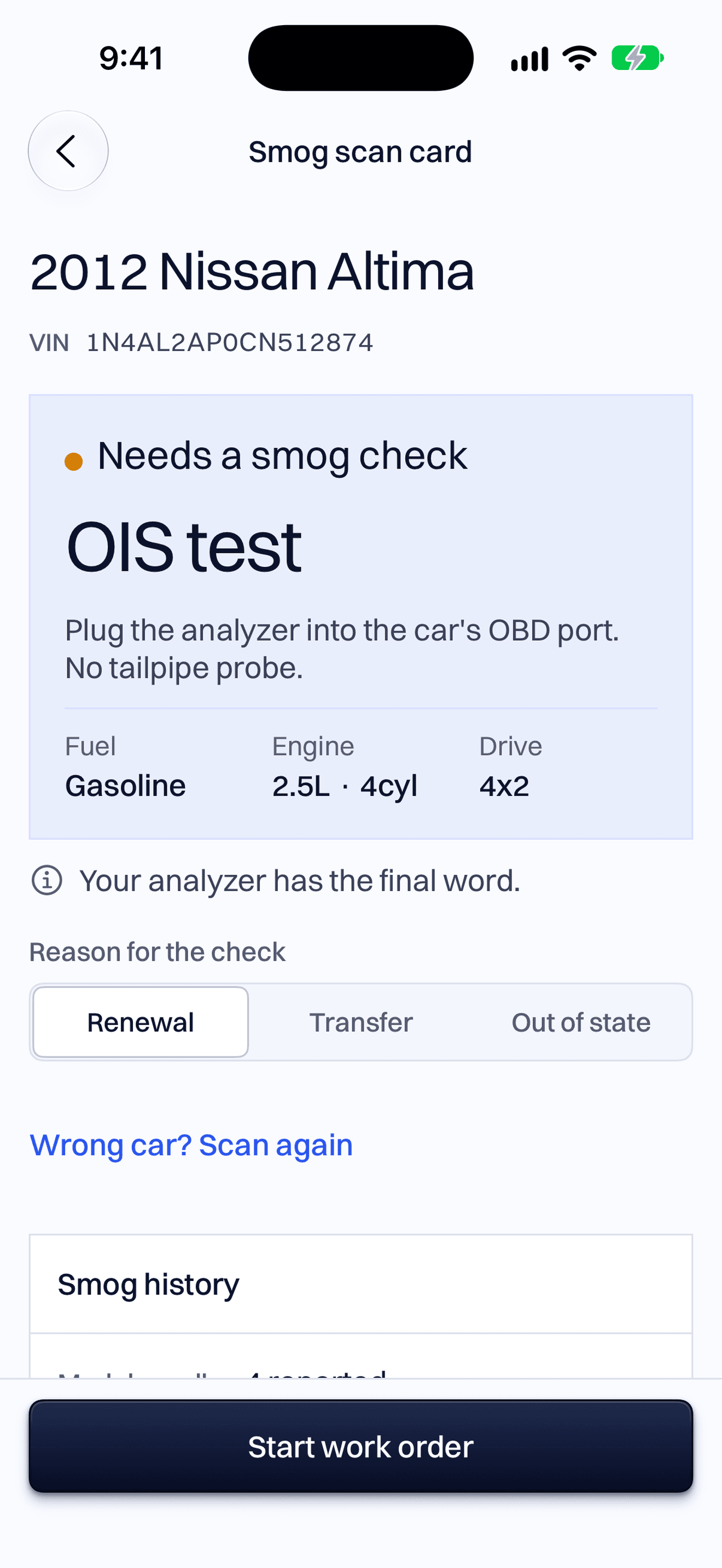
See whether it needs a smog check, and which test
SmogScanner reads the car's details from the U.S. government's vehicle database (NHTSA) and applies California's smog rules.
Pick renewal, change of ownership or out of state, and the answer follows. Your analyzer has the final word.
Start the work order in one tap
The car, the plate, the VIN and the test are already filled in. Add the customer, or pick one you already have.
The bar across the top shows where the car is: checked in, testing, pass, paid.
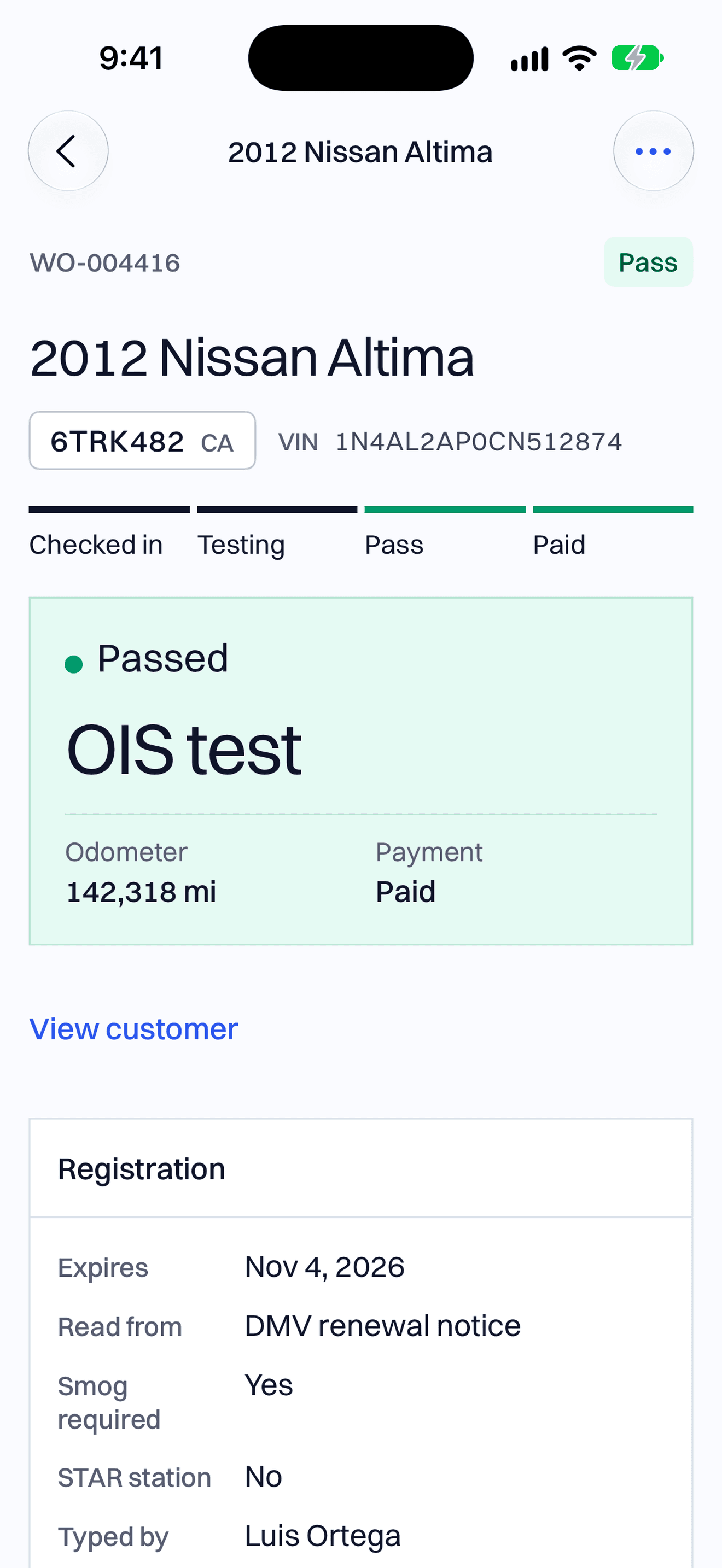
Run the test on your analyzer, the same as today
SmogScanner doesn't connect to the analyzer, so nothing about the test changes.
When the test is done, tap Passed or Failed and type the certificate number from the analyzer printout. The counter computer shows the same work order.
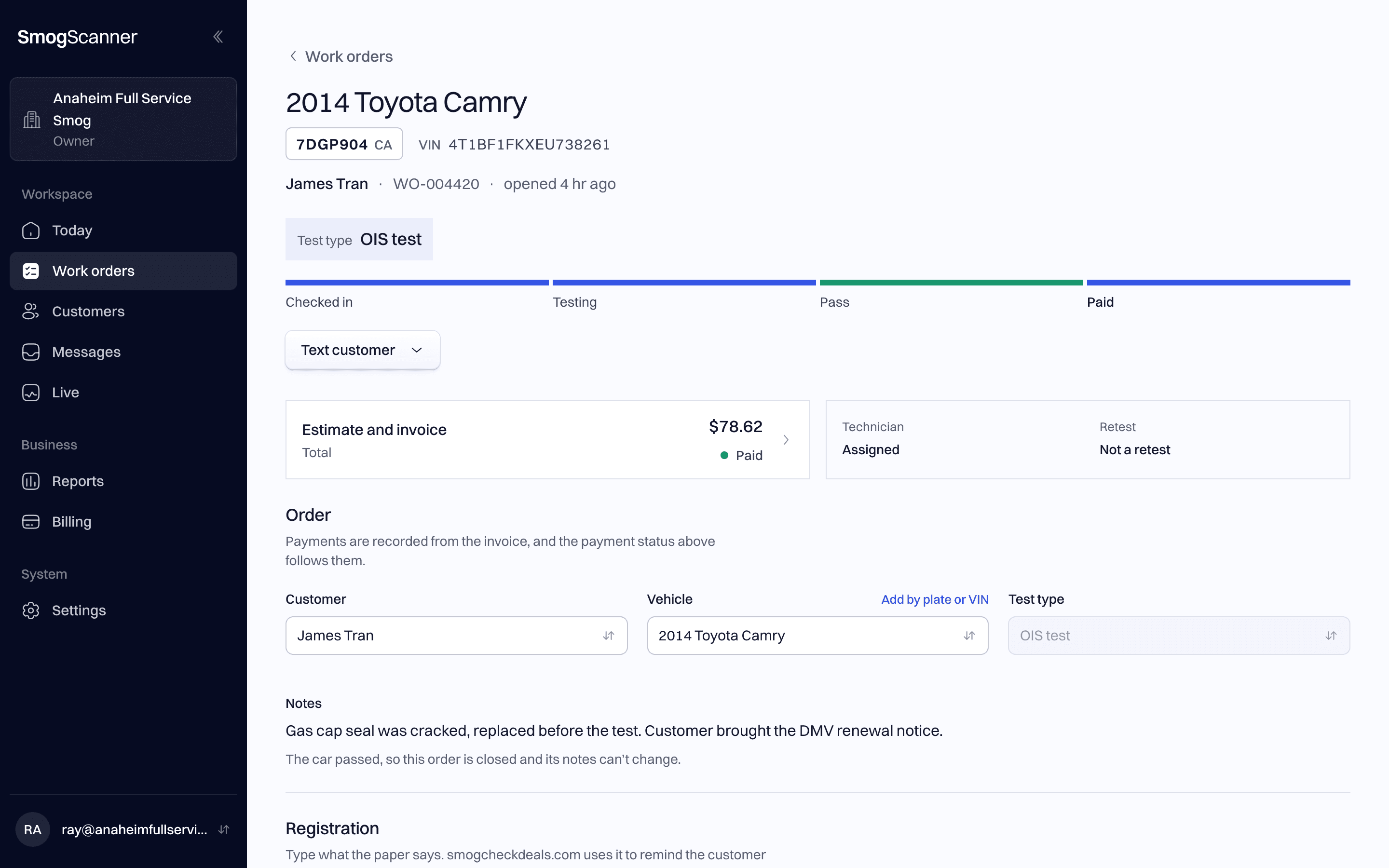
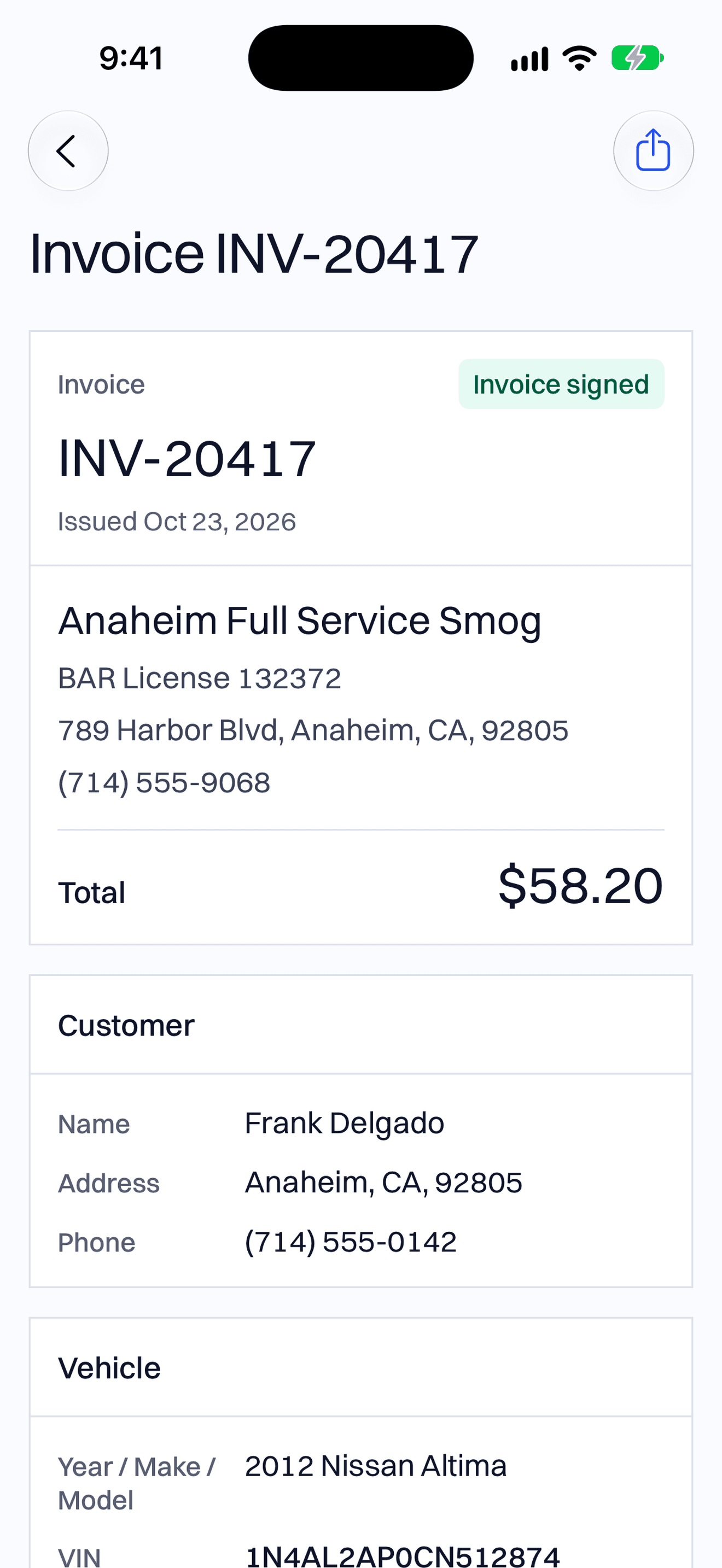
Text or print the invoice
Your station's name, BAR license number and address are already on it, with the customer and the car.
The $8.25 smog certificate fee is on it too. Add a gas cap or any other part you sold.
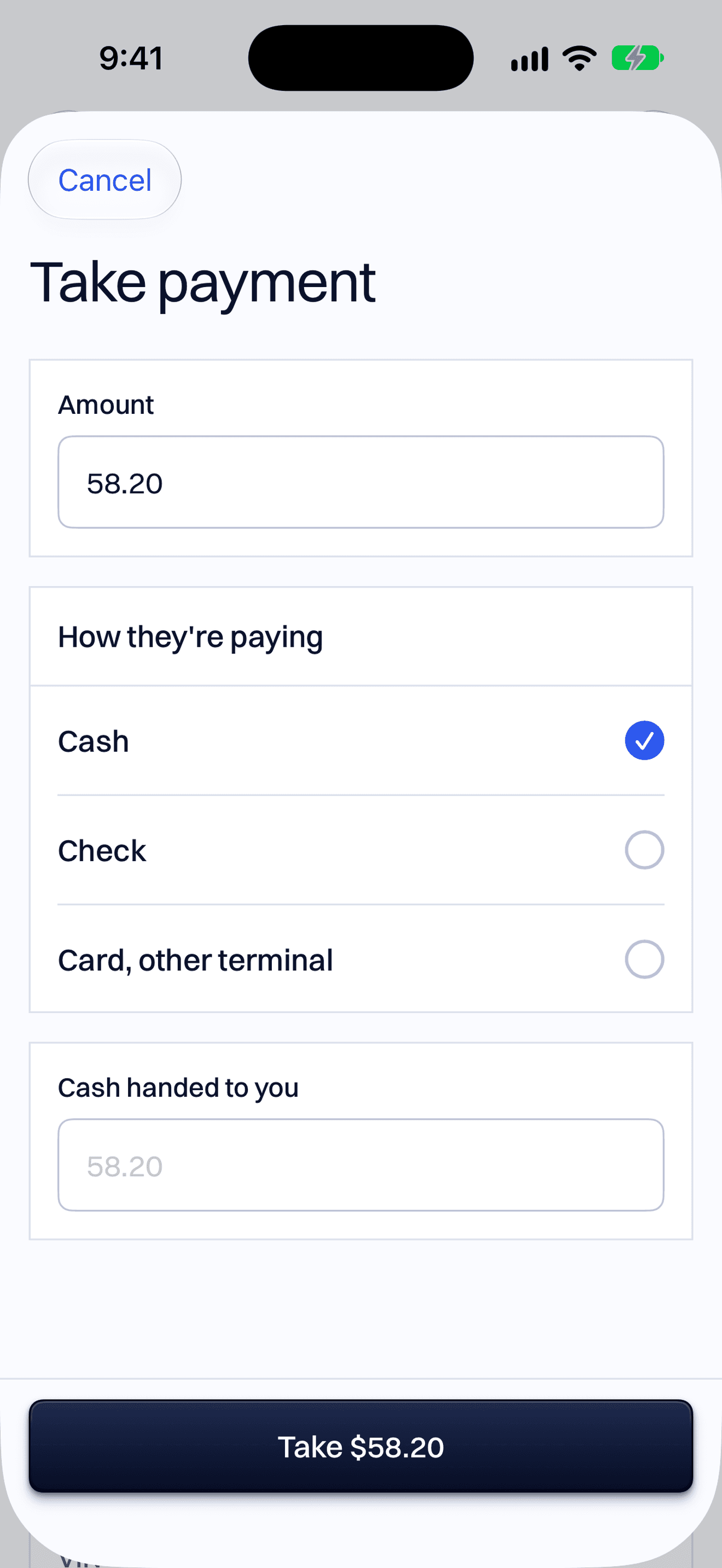
Take the payment
Pick cash, check, or a card you ran on your own terminal.
The work order shows paid on your phone and on the counter computer.
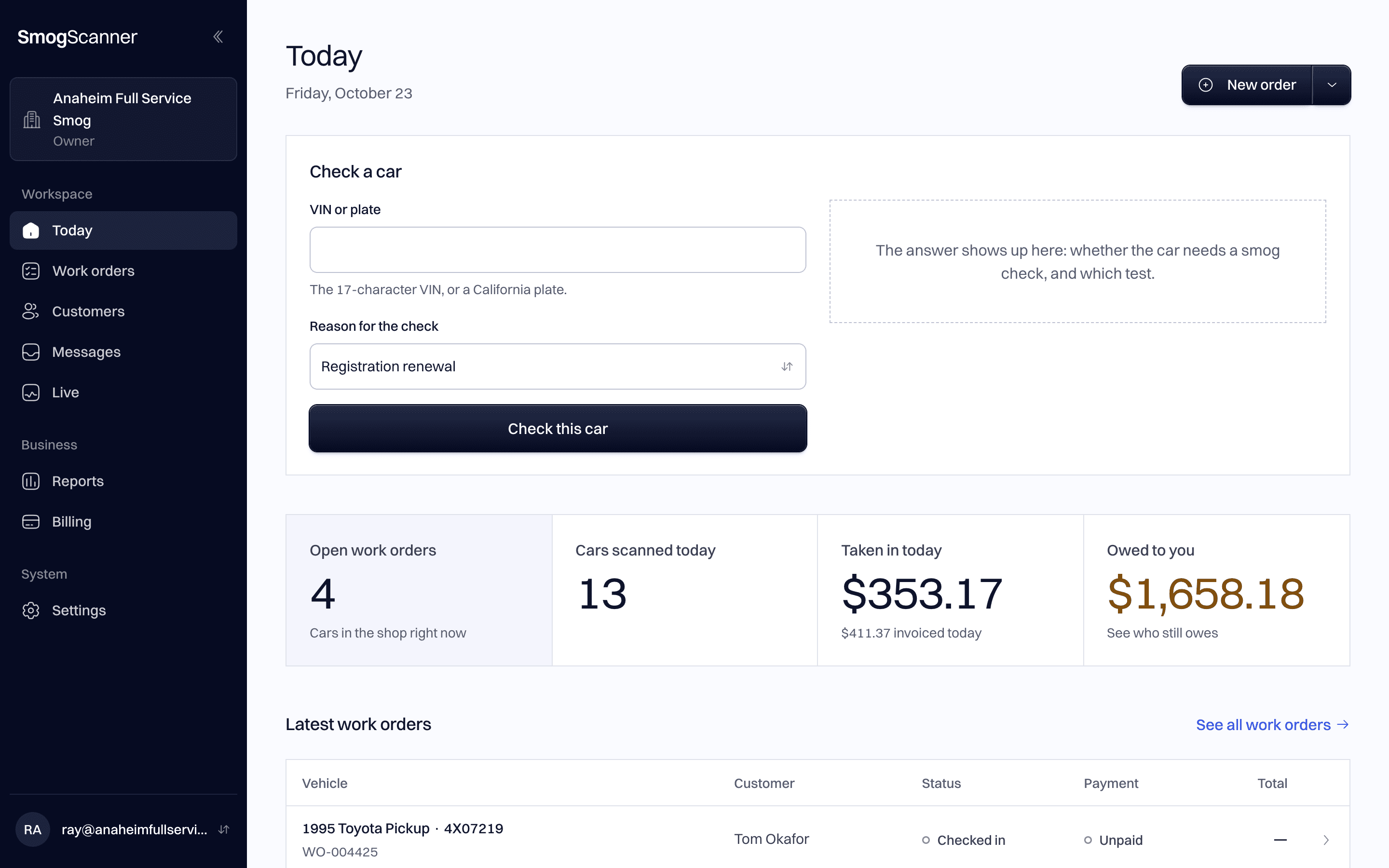
See every car on the counter computer
Today shows every car in the shop with its status. On Pro it also shows what came in and who still owes.
Your phone and the computer use the same account, so they always show the same cars.
What you need
A phone
An Android phone or an iPhone. The iPhone app is in early access, so we set it up with you.
A computer at the counter
Any computer with a web browser. Nothing to install.
Your analyzer
The same one you use today. SmogScanner works next to it.